This process updates all old URLs to the new live domain across the database and site content after moving the site from local or staging to a live server.
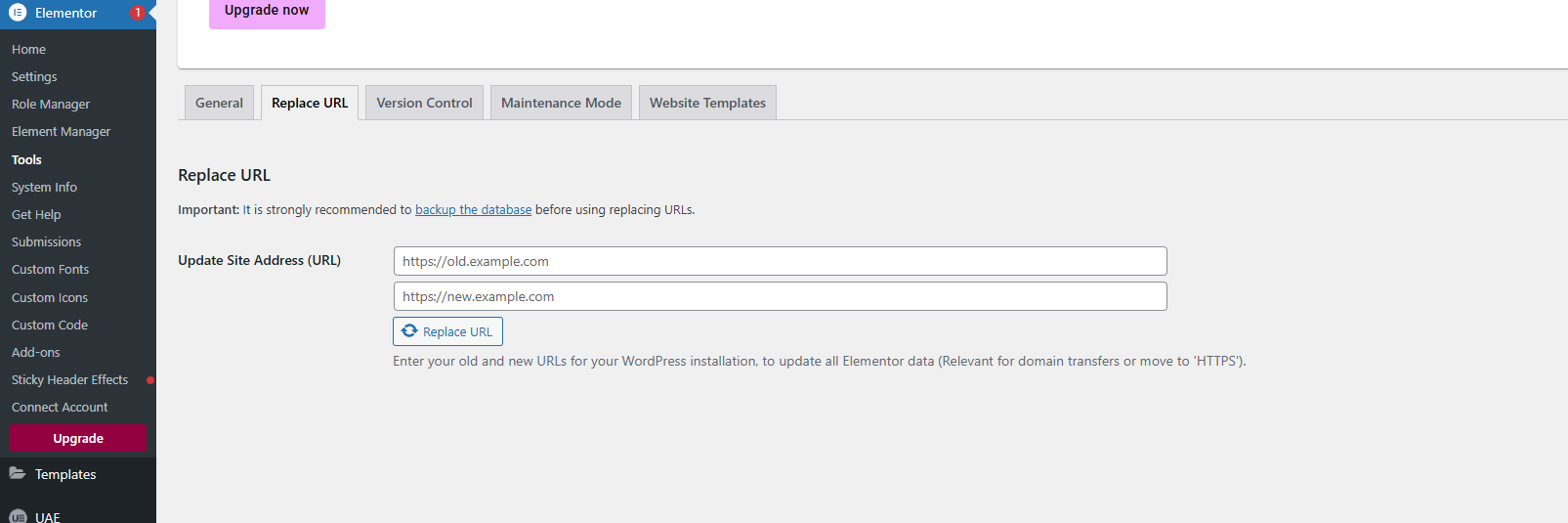
Method 1: Elementor Replace URL (Quick Method)
Steps
-
Login to WordPress Admin
-
Go to Elementor → Tools
-
Click Replace URL
-
Enter Old URL and New Live URL
-
Click Replace URL
-
Clear cache and regenerate files
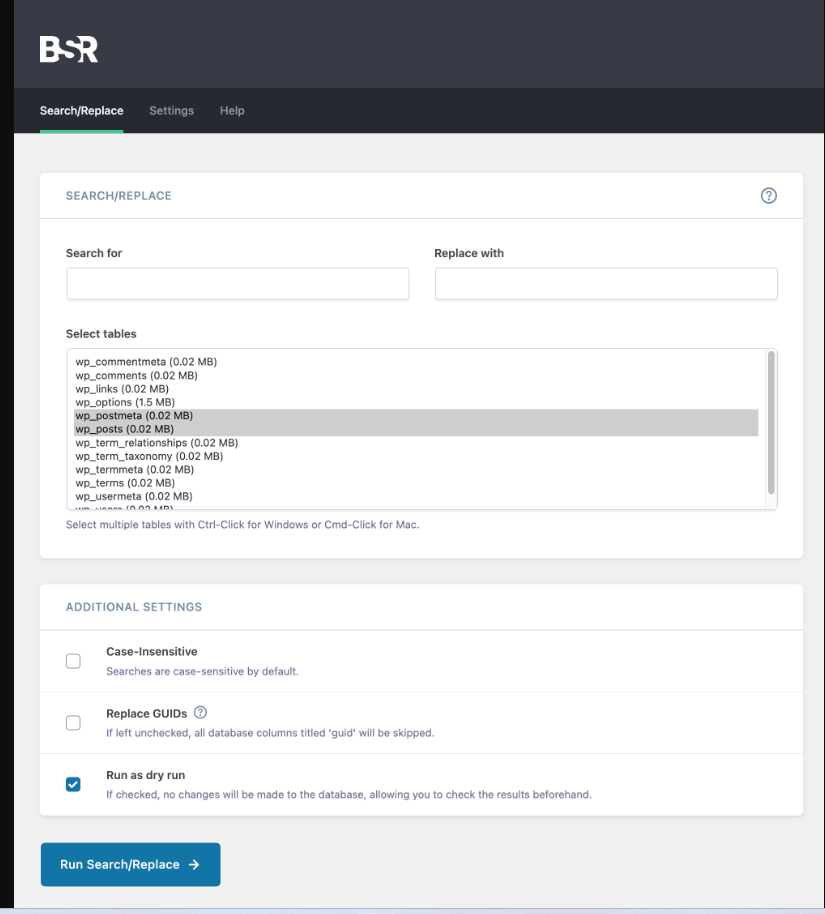
Method 2: Better Search & Replace (Recommended)
Steps
-
Install Better Search Replace plugin
-
Go to Tools → Better Search Replace
-
Enter:
-
Search for: old URL
-
Replace with: new live URL
-
-
Select All Tables
-
First run with Dry Run enabled (recommended)
-
Review results
-
Uncheck Dry Run and run again to apply changes